

Recently, I've made some research about ambient lighting zones. Someone once wrote: "it's impossible to add additional zones if you don't have the light connected!". Which sounded like a nice challenge to me. So I took it as a challenge, to add more zones to my Leon that can be controlled in an OEM way.
By default, only 2 zone-controls are available:
— Doors
— Footwells
And there's a 3rd zone, which can't be controlled:
— Center console
The ambient zone setup consists of the following things:
— Adaptation of the BCM (I won't go into detail about that here. it's discussed a lot at Drive2, doesn't need any additional analysis by me. A good read can be found here: www.drive2.com/l/594167288630902422/ by member MaDwArLoCk.)
— GCA files inside the MIB that explain where each graphic file needs to be placed and where the zone-control buttons (suns) are positioned.
— PNG files inside images.mcf that show the look of the lights on the setting screen.

I started by extracting the images.mcf to an Images folder that keeps all the paths, using the MIB2Toolbox.
If we look at the files that control the visible elements, we see some things:

There are some empty graphics, for Feature 1, 3 and 4. (In the screenshot, I marked them with a text "Feature_x")
And then there are the graphics we already know:


And a very interesting one:

Interesting, as there is no Leon with controllable roof lights. I guess this feature was scrapped during the development phase and this graphic is there as a leftover.
When changing the graphics for Feature 1, 3 and 4 to something other than transparent, and modifying the GCA so they would show up, the following shows:
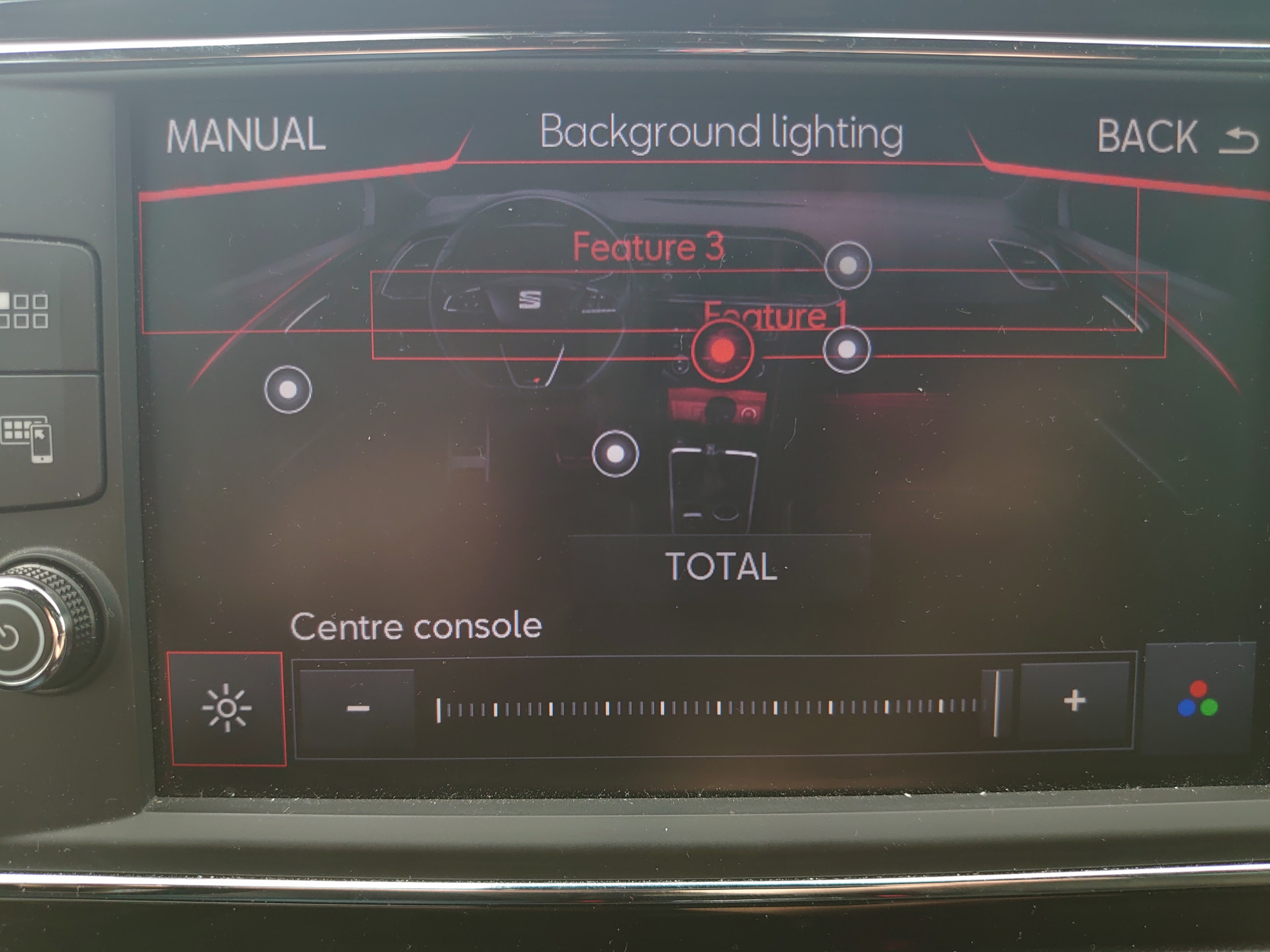
For some weird reason, feature 4 wouldn't show up. You can see the roof light shining faintly underneath the "Background lighting" text.
Would it be possible to add more graphics here? Let's try!
I had a look at some VW firmwares. There were a lot of leftover graphics there, texts with the name of the zone:

The next thing I did was delete images.mcf and imageidmap.res on the skin0 folder of the MIB, and replace it with the extracted Images folder. This way, it's possible to make changes to a specific car model, and I didn't have to worry if the ID's would match up and all.
Adding these graphics to the car made it look like this. Don't mind the misplaced doorlines and footwells.

I couldn't really read the text that well, so I changed it to a bigger font:

Here I learned something interesting: a lot of zones are linked to each other!
I had a maximum of 5 controls on my screen, which would control almost all of the 22 graphical features.

The zones are linked as follows:

This means, whenever I change the center console dimming, the "gearshift" and "center control lighting front" zones will change as well. For some reason, I wasn't able to show Speakers, Front+Rear doors entrance and Rear doors warning zones. Could be because of a mistake I made in my GCA file, I don't know.
So the good news is:
— it's possible to add zones and graphics that represent them
— it's possible to get them to show when no LED is connected on the LIN bus
Next up: add more LEDs to the car.
I got a lot of LEDs in the mail last week, and now it's a matter of deciding where to put them all.
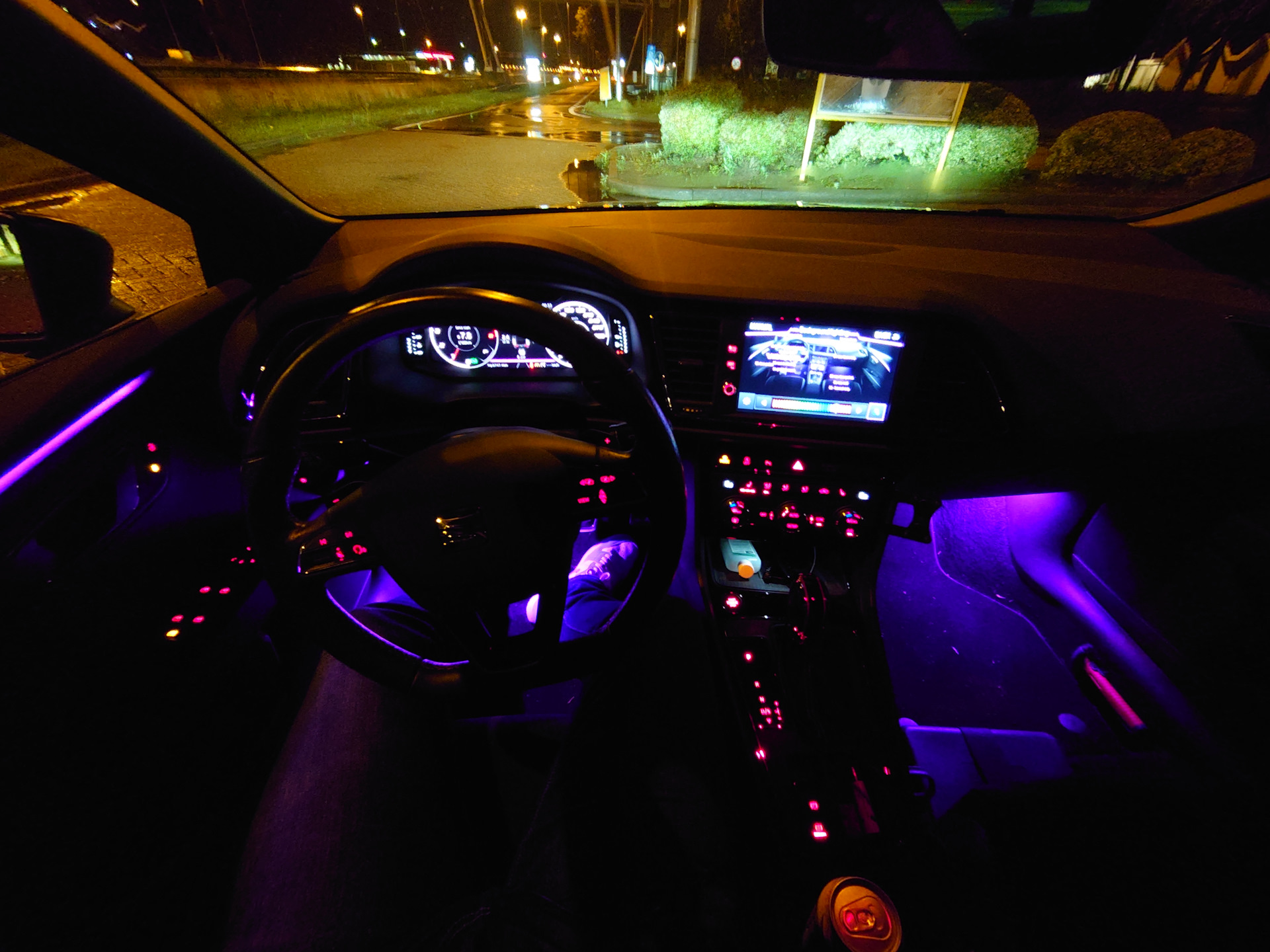
Bonus pictures, of my current ambient lighting setup at night.


Comments 4
Что этоооо
Nice 😊
👍
🤩